Key takeaways
- Format: Lifestyle shot of a specific software screen in a real-world setting.
- Best for: Feature launches for workflow or integration software in trades.
- Hook: A real supplier order screen that roofers instantly recognise.
- Reuse it: Film or photograph your actual product screen in the user's environment.
Available sizes
What is a lifestyle ad?
A lifestyle ad shows the product being used in a real setting by the kind of person who buys it. Instead of listing features, it sells the feeling or outcome of owning the product, which makes it a strong fit for fashion, home, travel and wellness brands.
See all lifestyle ads →Why this lifestyle ad works
- 01
Specific workflow, instantly clear
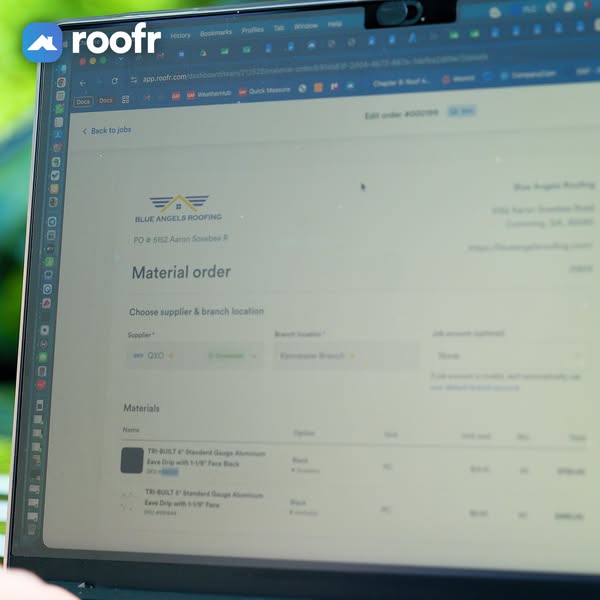
Material order, supplier and line items explain the feature without a headline. Roofers know exactly what they are looking at.
- 02
Real supplier names add credibility
A named supplier and real product SKUs suggest a live integration. That signals the feature works with the yards roofers already use.
- 03
Feels unpolished, in a good way
Angled framing and blur look like a phone snapshot rather than a studio render. That can lower ad resistance in the feed.
- 04
Brand stays visible
The logo overlay and the app.roofr.com URL keep the brand present. Viewers know whose product it is even without a headline.
Full creative breakdown
Who this ad targets
The ad targets roofing company owners, project managers and production staff who order shingles, flashing and accessories from suppliers for each job. They currently re-enter quantities from measurement reports into supplier portals, emails or phone calls, which wastes time and causes errors. They work with large national suppliers and want ordering connected to the job record, so the ad speaks to operational efficiency rather than sales.
Copywriting analysis
There is no headline on the image; the copy comes entirely from the product interface. Material order, Choose supplier and branch location and the item names act as a self-explaining caption for anyone who knows roofing. This approach trusts the audience's expertise, which suits trade buyers who dislike over-explained marketing. However, because the text is blurred, the primary text and headline must clearly state the benefit: ordering materials from the job without retyping. The visible supplier name adds an implied integration claim. Pairing the creative with a short, benefit-led headline gives the frame its meaning.
Visual design
The photo uses a bright, slightly overexposed look with a shallow depth of field, focusing on the left side of the screen and blurring the rest. Green foliage in the corners adds an outdoor, on-the-go context. The laptop is angled, creating a dynamic diagonal that leads the eye from the logo to the Material order title. The white logo with its blue icon contrasts against the dark browser bar, keeping branding visible without a separate text block.
How to adapt this template for your brand
- Open the exact screen of the feature you want to promote with realistic data.
- Photograph it on a real device in a setting your users work in.
- Use an angle and shallow focus so the key title is sharp and the rest is soft.
- Add your logo in a corner where it contrasts with the background.
- Let primary text and the headline spell out the benefit clearly.
Tips for saas ads on Meta
On Meta, use this creative to announce or promote the material ordering feature to existing Roofr users and warm audiences who already know the CRM. The blurred UI rewards a pause, so test it in Feed rather than Stories. Open the primary text with the problem of retyping quantities and close with a clear CTA. Consider a short screen-recording video of the same workflow for Reels, which can show the order being built in seconds.
About this creative
This square Roofr ad is a lifestyle photo of a laptop screen, shot at an angle outdoors with green foliage blurred behind it. The white Roofr logo with its blue icon sits top left over the browser chrome. The screen shows the Roofr web app at app.roofr.com, open on an Edit order page for a sample company called Blue Angels Roofing. The page title reads Material order, followed by a Choose supplier and branch location section with a supplier field set to QXO and a branch field. Below, a Materials table lists items such as a TRI-BUILT standard gauge aluminum eave drip with a black finish, along with option, unit, quantity and total columns. Most of the text is softly out of focus, but the page structure is clear. The bright, slightly washed-out exposure and the user's hand edge in the corner make it feel like an unposed, behind-the-scenes shot of real work.
Meta ad · 338 × 600 · SaaS
Roofr Material Ordering Ad: Real Screen, Real Setting
This Roofr ad shows the CRM's material order screen open on a laptop outdoors, with a sample roofing company, a supplier dropdown and line items like aluminum eave drip. Shot with shallow depth of field, it feels like a real moment at work. Use it as a lifestyle template for showing a specific software workflow.
Added
All brand names and logos are property of their owners. Adplaylist is not affiliated with or endorsed by these brands.
Details
Ad copy
Primary text
Order roofing materials straight from the job. Roofr lets you choose your supplier and branch, pull in quantities from your roof report and send the material order without retyping a thing. Fewer mistakes, fewer trips to the yard.
Description
Supplier material orders built from your roof report.
On-image text
roofr | app.roofr.com | Back to jobs | Edit order | Blue Angels Roofing | Material order | Choose supplier & branch location | Supplier: QXO | Materials | TRI-BUILT 6" Standard Gauge Aluminum Eave Drip with 1-1/8" Face (blurred UI text)
Headline ideas for this template
- 1From roof report to material order in clicks.
- 2Stop retyping material lists.
- 3Order from your supplier inside Roofr.
- 4The right materials, ordered right from the job.
- 5Fewer ordering mistakes, fewer yard runs.
Meta image ad specs
| Placement | Ratio | Size (px) |
|---|---|---|
| Feed | 1:1 or 4:5 | 1080×1080 / 1080×1350 |
| Marketplace | 1:1 | 1200×1200 |
| Messenger inbox | 1:1 | 1200×1200 |
| Stories & Reels | 9:16 | 1080×1920 |
This template is 1:1. Request 4:5 or 9:16 to cover all placements.
Browse similar by tag